
Why we ask for verification on ulti700
Verification protects you and protects us. When you open an account on ulti700, you're trusting us with your payment information and your account activity. In return, we commit to confirming that you are who you say you are, that your account hasn't been compromised, and that your funds are secure. Verification also ensures we meet our compliance obligations — the regulations that define where our services can operate and who is eligible to use them.
Think of it this way: if you were to request a withdrawal from ulti700, our payments team needs to confirm that the bank account or e-wallet receiving your funds belongs to the same person who made the deposits. Verification is how we prove that connection. It also flags any unusual account activity early, which protects your balance if someone else ever tries to access your login.

Which documents does ulti700 ask for?
We require two documents: one that proves your identity, and one that proves your address. For identity, we accept a national ID card, a passport, or a driving license — anything that has your photograph and your full legal name. For address, we accept a recent utility bill, a bank statement, or a government letter. The document needs to be dated within the last three months and must clearly show your name and your current address.
You upload both documents through your account dashboard under the Verification section. Our system accepts JPG, PNG, and PDF formats. Each image should be clear, readable, and show all four corners of the document (for ID) or the full page (for address). If your submission is unclear — say, the document is blurry or partially cut off — our team will ask you to resubmit.
Once you've submitted both documents, our verification team reviews them during business hours. We'll update your account status as soon as the review is complete. If everything matches, your account moves to "Verified" status, and you can proceed to withdraw funds or claim bonus offers that require verification.
What's the timeline for ulti700 verification?
We process verification submissions in the order they arrive. Standard review windows are not fixed, but most accounts move through verification within a reasonable timeframe — typically a few hours to a business day, depending on queue volume and document clarity. We do not process verification outside business hours, so a submission made late Friday may not be reviewed until Monday.
If your documents are clear and complete, the process is fast. If something is missing or unclear — for example, your name doesn't match between the ID and the address document, or the address document is outdated — our team will send you a message asking for a resubmission. You can reply immediately with corrected documents, and we'll process the revised submission in the same queue.
Verification is not a penalty — it's the moment you secure your account and unlock full access to ulti700's deposit and withdrawal features.
How verification affects your ulti700 bonuses and promotions
Some of our bonus offers require a verified account. Our welcome package is available as soon as you complete a deposit — that doesn't require verification. But if you want to claim a weekly cashback offer or a referral bonus, or if you're climbing our tier-progression ladder toward VIP status, those typically require your account to be verified first.
Verification also unlocks faster withdrawal processing. Unverified accounts can request withdrawals, but the review takes longer because our payments team has to manually confirm your identity before releasing funds. Once you're verified, withdrawals flow through our standard review window — subject to verification, no exact time promised, but the process is smoother and faster overall.
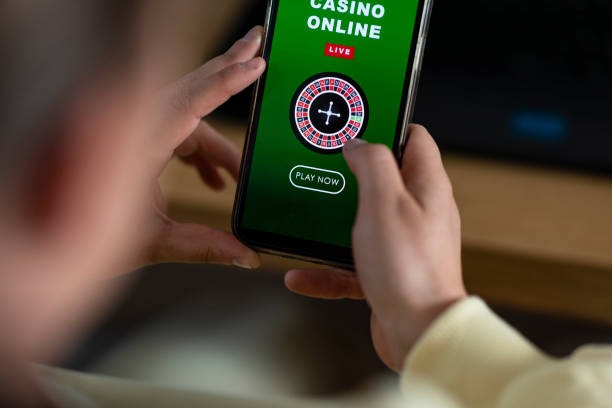
Payment methods and ulti700 verification
You can deposit on ulti700 using DANA, e-wallet, mobile banking, local payment, online payment, or e-wallet — all of which process instantly. You can also use a bank virtual account (mobile banking, Mandini, local payment, online payment), which takes a few minutes for the bank to confirm. None of these deposits require you to be verified first; verification happens in parallel with your account setup.
However, once you request a withdrawal, verification matters. If your account is not yet verified, our payments team will pause the withdrawal request and ask you to complete verification. Once you're verified, the withdrawal moves into our standard review queue. The e-wallet (e-wallet, mobile banking, local payment, online payment, e-wallet) and bank account you use for withdrawal must match the payment method on file — another security check that verification helps us confirm.
Key takeaways
- Verification requires an identity document and an address document, both clear and current.
- Most verifications complete within a standard business-hour review window.
- Verified accounts unlock faster withdrawals and access to tier-progression bonuses.
- Deposits work before verification, but withdrawals typically wait until verification is complete.
- All payment methods (mobile banking, local payment, online payment, e-wallet, mobile banking, local payment, online payment, e-wallet, mobile banking, local payment) accept verified or unverified accounts for deposits.
What happens once your ulti700 account is verified?
Your account dashboard shows a green "Verified" badge, and you immediately gain access to:
- Withdrawal requests without additional identity reviews.
- Tier-progression bonuses and weekly cashback offers that require account verification.
- VIP event invitations and birthday bonus eligibility.
- Referral rewards — your invitations now count toward your tier status.
- Full access to our live-dealer tables (blackjack, roulette, baccarat, Dragon Tiger), football coverage (Liga 1, Piala AFF, Premier League), and slot games (Aviator, Sweet Bonanza, Gates of Olympus, Fortune Tiger, Mahjong Ways).
Your verification status is permanent unless you update your personal information. If you move to a new address, update your payment method, or change your registered name, we may ask you to re-verify — but typically a simple update to your account details is enough.